
Dallas Commercial Automation

Commercial Automation for Dallas Businesses

Our commercial automation lets your business run its own security and lets you take control of it from anywhere. Security Cameras Dallas builds it onto the cameras, alarm, and access we install, and stays at the center of it.
Call (972) 619-5883
Runs on the security system you already have

Request a security assessment

Tell us how the building runs and what you want it to handle on its own.

Or call (972) 619-5883
What It Does

Commercial Automation That Runs Your Security For You

With our commercial automation, the security system you already run starts doing the work on its own. The alarm arms at close, the doors lock on your schedule, the lights follow your hours, and when you want to change something, you do it from your phone instead of driving in. Security Cameras Dallas builds the automation onto the system we install and stays at the center of it, so one company sets the rules and answers for how they run.

This is not a smart-home gadget added onto the wall. It is your commercial cameras, alarm, and access control working for you after the last person clocks out, on one account you actually control. Where you want those systems acting as one, our security systems integration is what connects them, and the automation runs on top of that.
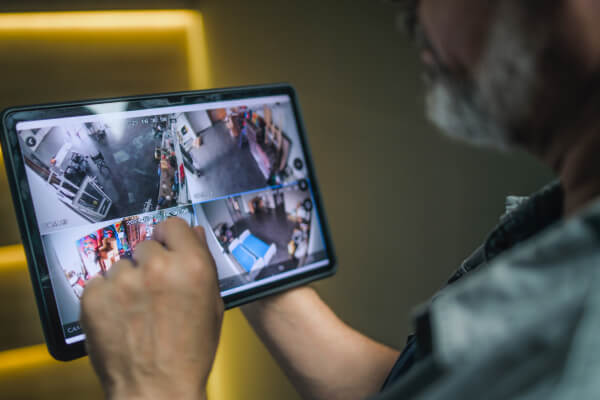
Business owner controlling the security system on a tablet at a Dallas business
What You Can Automate

Four Systems That Run Themselves

Most Dallas businesses put these four on automatic first. Security Cameras Dallas sets each one to your hours and hands you the controls.
On a schedule

The alarm

Automatic arming and disarming, so it arms at close and disarms for the opening crew. Forget to set it and it sets itself.
  • Alert if a door is still open when it arms
Doors

The locks

Lock or unlock any door from your phone, and send a temporary code that works only when you want it to.
Lighting

The lights

Lights on your schedule, or a scene where the alarm trips and every light snaps on at once.
  • After hours the building looks worked-in
Video

The cameras

A clip and an alert the moment a scene runs or a door opens late, with any camera one tap away.
  • Watched from the same screen
From Anywhere

Run Every Location From Wherever You Are

One account, every site
You do not have to be in the building to run it. You arm the alarm, unlock a door for a delivery, pull up a camera, watch it live, and confirm the place locked up, whether you are at home, on the road, or standing in another store. The building answers wherever you are.

Run one location or a dozen from the same account. A property manager watches every building at once, and an owner in Fort Worth checks the store in Plano without leaving the office, each site keeping its own hours and its own people.
Arm, unlock, and check in from your phone
One account across every site
Each site keeps its own hours
One system, not an app for every door
Multiple business locations on one security dashboard, managed from a single account
Every location on one account
What You Will Know

Real-Time Alerts and Activity Reports

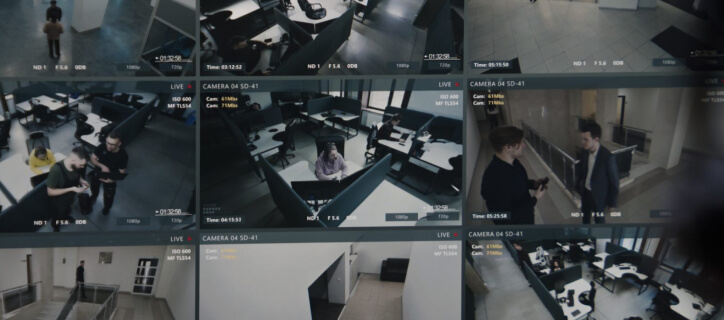
Automation also watches for the things that should not happen. You get a real-time alert the minute the alarm system we install was not set by closing, a door was propped open, or a code was used after hours, so a problem does not sit until someone walks in the next morning.

The system keeps the record too. An activity report shows who unlocked which door and when, and which nights the alarm went on late, so you can hand a manager or an insurer a clean log instead of a guess. Security Cameras Dallas sets the alerts to what matters to you and leaves the noise out.

01 Alert if the alarm was not set by close
02 Alert if a door is propped open
03 Alert if a code is used after hours
04 Activity report of who unlocked what and when
05 A clean log for a manager or an insurer
Works With Your Security

Automation Built On the System You Already Run

This is not a separate product with its own wiring. Our commercial automation runs on the cameras, alarm, and access control we install, so the door, the camera, and the alarm all answer to one account and one company. Add it to a system we put in last year, or build both at once and pay for one visit instead of two.

As part of our commercial security services, Security Cameras Dallas sets up commercial automation for businesses around Dallas, from Plano and Frisco out to Fort Worth. Tell us how the building runs and what you want it to handle on its own, and we build the automation to match.

  • Offices and corporate suites
  • Retail and storefronts
  • Warehouses and distribution
  • Multi-tenant buildings
  • Houses of worship
  • Property management
Talk to Security Cameras Dallas

Automate your Dallas business

Tell us how the building runs and what you want it to handle on its own, and we build the automation onto the security system you already have, backed by our local security company. Call or book an assessment to start.
FAQ

Commercial automation questions from Dallas businesses

What is commercial automation for a business?

It is your alarm, locks, lights, and cameras running on a schedule and answering to your phone, instead of by hand. Security Cameras Dallas sets it up on the security system we install.

Can the alarm arm and the doors lock on their own?

Yes. The alarm can arm at close and the doors can lock on schedule, and you get an alert if the alarm was not set or a door was left open.

Can I control more than one location?

Yes. One account runs every site, so you manage the store in Plano and the office in Fort Worth from the same place.

Does it work with my cameras, alarm, and access control?

Yes. Automation runs on those same systems. Connecting them into one is what our security systems integration covers.