Security Systems Integration

Commercial Security System Integration in Dallas, TX

Security Cameras Dallas designs how your cameras, access control, and alarm respond together, so one connected system handles an event as a whole instead of leaving you to piece it together across three separate logins.
Call (972) 619-5883
No long-term contract required

Request a security assessment

We will walk the property and map how your systems should work as one.

Or call (972) 619-5883
Security systems integration

Security system integration for Dallas businesses

Security Cameras Dallas integrates commercial security systems across Dallas. We take the cameras, access control, and alarm already in your building and connect them into one system that works together.

On their own, they leave you with separate records, separate alerts, separate permissions, and three systems to manage. Integrated, the same activity shows up across all of them at once, so you respond from one place instead of tracking it down afterward.

  • Cameras, access control, and alarm working as one connected system
  • A single event that reaches every system at once
  • Video attached to the door activity that matters
  • Shared security rules across the whole building
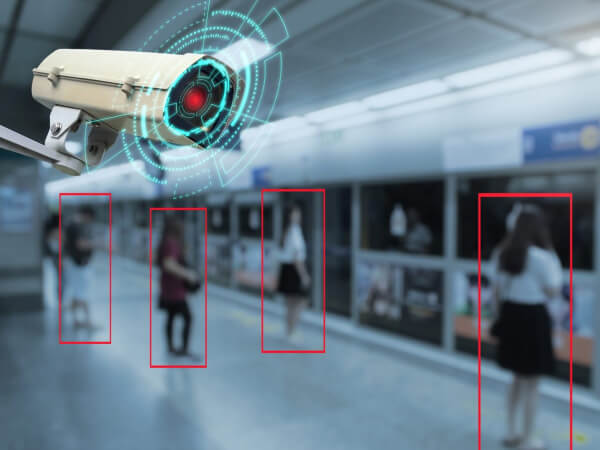
Security camera spotting a person, connected into one integrated security system in Dallas
What we connect

Four ways integration changes your commercial security

We link each system to the others it works with, so your cameras, access control, and alarm act together the moment one of them does. These four connections do the most for a commercial property.
Doors and cameras

Access control and cameras

Each controlled door is linked to the camera on it, so an entry is on video, not just in a log.
  • A badge used where it is not cleared, shown on camera
  • A door forced or propped open, with the video attached
Alarms and cameras

Alarms with the camera view

Each alarm zone is linked to its camera, so you can see what set it off instead of guessing.
  • The zone that set off the alarm, with its camera
  • Video ready the moment the alarm trips
Credentials and entry points

One credential across the site

Each person carries one credential, set around the doors and areas they use across the property.
  • Office doors, secured rooms, docks, gates, and floors
  • One set of permissions to manage, not several
Front entrance

Intercom, camera, and door as one

The intercom, camera, and door release work as one, so letting a visitor in is a single step.
  • See and speak with whoever is at the door, then let them in
  • Works with the visitor passes on your access control
When something happens

One alert, the full picture

How your systems respond together
Run these systems separately and each one only knows its own part. The door logs the entry, the camera records it, and the alarm watches the zone, but they do not talk to each other, so your security manager does not see the full event until later.

Connected, they work as one. When a badge is used at a door, the system brings up that door’s camera and checks the credential and the alarm at the same time. A single alert then goes out with the video attached. Where you want eyes on it as it happens, that alert can reach remote video monitoring too.
The door logs who came in
The related camera view is attached
The credential is checked at once
The alert goes out with the video
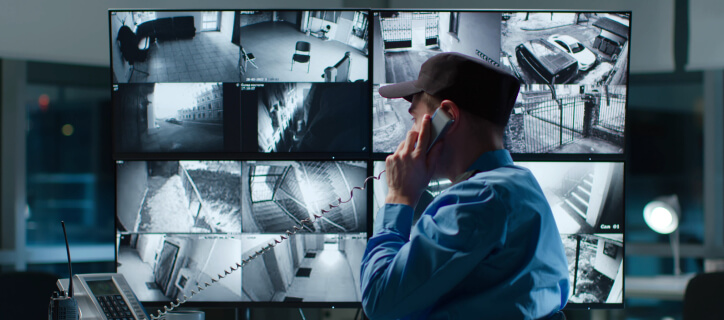
One alert and its camera view on a connected security system in Dallas
One door event, seen across the system
Built around your priorities

Integration built around what matters to your business

No two businesses want the same thing from integration. One wants video tied to every alarm. Another wants tight control over who reaches which areas. A third is focused on running several sites from one place, or keeping a clear record of who went where. We build the system around the priorities that matter to you, not a fixed package.

Each site keeps its own doors, schedules, and rules while running under one account. Before it goes live, we test the whole system together, cameras, access, alarm, and alerts, so it holds up the way you will actually use it. For many, it starts with tying your alarm system to the cameras that watch the same doors.

What we design
  • The setup that fits each building
  • Events shared between the systems that need them
  • Access by person, door, and time
  • The whole system tested before it goes live
What you get
  • Every site under one account
  • One connected event history, not three separate logs
  • One response across the systems, not three
  • The same setup as you add locations
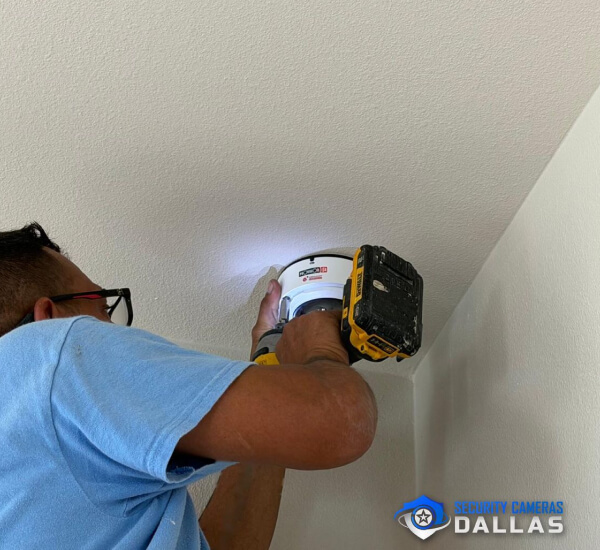
Connecting a camera into a unified commercial security system for a Dallas facility
For your team

Everyday security management in one place

Your staff carry one credential for the doors, gates, and floors they are cleared for, so there is nothing extra to remember and no separate code for the alarm. Compatible commercial smart locks bring interior offices and storerooms onto the same system.

Where it helps, a security event can also set the lights or a schedule, handled through our business automation. We only connect what saves your team a step, never automation for its own sake.

One credential for every door, gate, and floor a person is cleared for
Arm and disarm the alarm with that same credential
Compatible commercial smart locks on interior doors
Lights or a schedule set off by a security event, where it helps
Notifications that reach the right person, not the whole team
One account for staff, credentials, and changes
Where we work

Integrated security systems across Dallas and the metro

We integrate commercial security systems for businesses across Dallas and the wider metro. The team works office tenants along the Telecom Corridor in Richardson, distribution sites in the Great Southwest Industrial District, and storefronts and clinics through Plano and Frisco.

Wherever your locations sit, they connect back to one system. Integration is one part of the wider business security systems we install across the metro.

Not sure your building is in range? Call (972) 619-5883.
Who we integrate for

Commercial properties we integrate across Dallas

Every kind of property connects its systems for a different reason, and we set each one up around that. In a warehouse, the dock doors are linked to the cameras covering them, so a bay opening is seen the moment it happens. In a medical building, access is set around controlled drug storage and staff-only areas. In an office, each tenant is kept to its own doors and floors. In retail, the stockroom and the point of sale are tied to the cameras above them.
  • Warehouses and distribution
  • Retail and storefronts
  • Office and multi-tenant buildings
  • Property management
  • Medical and dental
  • Schools and campuses
  • Manufacturing and industrial
  • Auto dealerships
  • Data and server rooms
  • Houses of worship
  • Coworking spaces
  • Government and utilities
Talk to Security Cameras Dallas

One integrated security system, designed around your building

We start by reviewing the systems you already have and which equipment can be connected. From there we define how each one should work with the others, configure the workflows, test the integrated system as a whole, and hand it over working as one across your property. This is the kind of work a Dallas security camera company should make simple, not complicated.
FAQ

Common questions about security system integration in Dallas

Can I manage all my security systems from one app?

Yes. Integration brings your cameras, access control, and alarm together, so you manage them from one place, on a phone or a browser, instead of switching between separate apps.

Can you connect new access control to the cameras I already have?

In most cases, yes. We connect new access control to your existing cameras wherever they are compatible, so you add what you need without replacing what already works, and it all runs on one system.

Will connecting my systems get in the way of how they work now?

No. The cameras, access, and alarm keep doing their own jobs. Integration adds the connections between them, so activity is shared across the system without changing how each part already runs.

How long does it take to integrate our systems?

It depends on how many systems and sites are involved, and how compatible they are. After we look at what you have, you get a clear scope and timeline before any work starts, so there are no surprises once we begin.