
What Security Camera Coverage Does a Car Dealership Need?
You pull up the cameras after something happens on the lot, and the vehicle you need is there, but too far away or at the wrong angle to tell you anything useful.
Security Cameras Dallas Team
Car dealership security cameras are expected to notice activity, identify vehicles, capture plates, and record a vehicle’s condition, and a wide view set up for one of those jobs may not give you the detail another one needs.
The simplest way to plan coverage is to follow a vehicle through the property, one stop at a time, and decide what the footage at each point has to show.
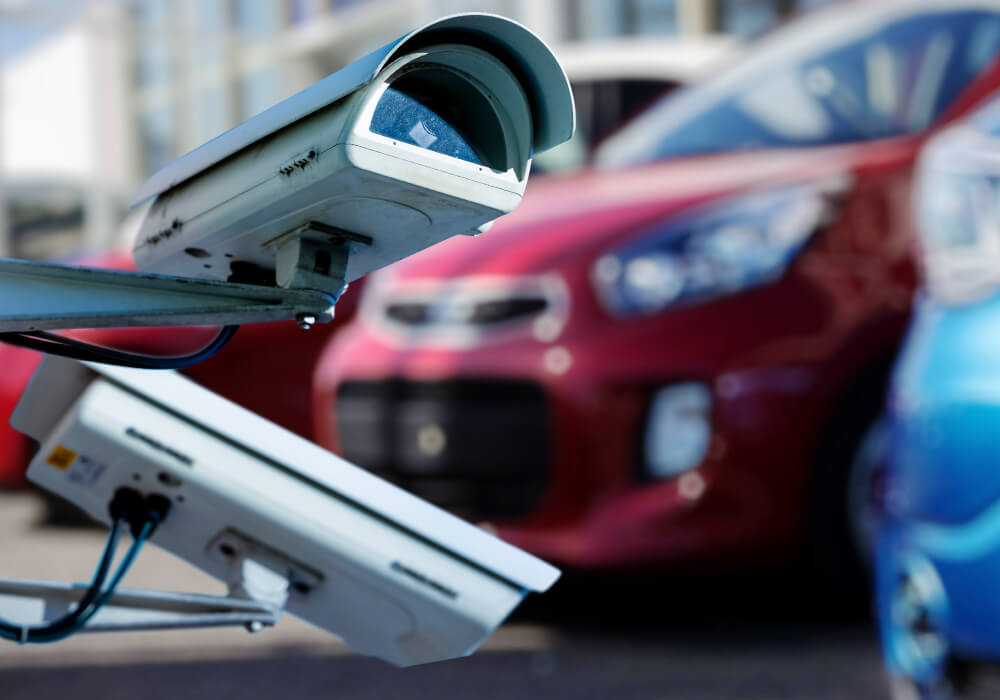
At the entrance and exit, can you tell which vehicle came or went?
Vehicles enter and leave a dealership through a limited number of access points, which makes them the most efficient place to build a record. Inventory carriers unloading at the curb, test drives, service customers, and porters moving cars to the shop or the wash all pass through or past them, and when a delivery count does not match the paperwork, the entrance footage is usually the first thing anyone checks. An entrance camera has two different things to capture:
- The overview: A wide view of the drive that shows a vehicle’s direction, type, and color, such as a white carrier arriving at 6:02 or a dark pickup leaving at 6:15. Across a wide drive, it usually cannot show a plate clearly.
- The plate view: A tight view of the lane where vehicles slow down, with exposure and shutter settings chosen to freeze a moving plate and cope with headlights at night. Some equipment provides both views from one unit. A dedicated plate camera lets the installer set that view up separately from the overview.
Plate capture and plate recognition are not the same thing. Capture means recording an image clear enough for a person to read the plate. Recognition means software that reads the characters and lets you search for a plate later, and it is a separate feature that not every camera or recorder includes. If being able to search plates matters to you, ask for it specifically.
A plate also will not identify every vehicle on a dealership. New inventory often arrives without one, and used vehicles may carry dealer tags or temporary plates that are hard to capture. For those, the overview footage, read alongside your delivery records, test drive log, and porter movements, is how you work out which vehicle came or went, and when. Plan the entrance around how vehicles actually move through your property:
- Count every way in: The service drive, any delivery gate, and the curb cut customers use even though it was never meant as an entrance.
- Put plate views where vehicles slow down: A plate passing quickly at a sharp angle is much harder to capture than one turning in or stopping at a gate. How close a camera has to be to read a license plate depends on how much detail lands on the plate, which comes from the camera’s resolution, lens, and distance together.
- Match the footage to your records: When the recorder’s time is accurate, a vehicle leaving at 4:10 can be checked against the test drive log or a repair order.
On the inventory lot, can you follow someone between parked vehicles?
The lot holds most of your dealership’s value, and after closing, someone can move between the parked vehicles without being seen. A camera on the building wall usually sees the first few rows clearly, but further out, trucks and SUVs hide the vehicles parked behind them, and the lot changes week to week as inventory comes and goes. A sold pickup moved up to the front row for delivery can end up parked right in front of a camera that used to see three rows back. Coverage has to be planned around what typically gets in the way:
- Taller vehicles: Trucks, vans, and lifted SUVs block what is parked behind them. Mounting a camera higher helps in some spots but can cost detail, so height, viewing direction, and an extra viewpoint usually have to be weighed together.
- Building cameras versus lot cameras: Cameras on the building mostly look across the rows. Cameras on light poles inside the lot can look down the aisles between them.
- Gaps between views: Neighboring views should overlap so a person does not drop out of sight partway across the lot. Overlapping camera coverage works the same way on any property, but on a lot, the overlap has to hold up with every space filled.
- Lighting: A row sitting in shadow between two pole lights can hide a person in footage that looks fine everywhere else.
- Fixed versus PTZ cameras: A PTZ camera pans and zooms, and while it is turned toward one thing, it no longer records the area it turned away from unless another camera covers it. Fixed views should carry the coverage you always need.
- Rearranged inventory: Sales events and new arrivals move vehicles around, so a view that worked on installation day may not work a few months later.
Expert Tip
Once the lot is full, or after any big rearrangement, open each lot camera and look at it the way you would during an incident review, with vehicles parked where they normally sit. Note which rows you can actually see past the first vehicle and where a person could walk without appearing on any camera. If a row is now hidden behind taller vehicles, adjust the angle, rethink where those vehicles are parked, or add a view to cover it.
At service reception, what condition was the car in when it arrived?
Questions about a vehicle’s condition usually start at the service drive. A general camera over the drive may catch obvious damage on the side facing it, in good light, but light scratches, a curb-rashed wheel, or a dent on the far side often will not show, and zooming in later cannot add detail the camera never captured. With suitable coverage and recording, general footage can help establish a timeline of the visit:
- Arrival: When the vehicle came in, and who brought it in, where that is visible.
- Movement: Where it was parked, and when a porter or technician moved it.
- Who was nearby: Staff and customers around the vehicle while it waited.
A close, consistent record of every panel and wheel is a separate job. It usually takes a set check-in spot where each vehicle stops in the same place, cameras positioned around that spot to capture the front, sides, and rear at close range, and lighting that stays even through the day. There are also dedicated vehicle-inspection systems, which are a different category of equipment from a security camera system, so if condition records are your main goal, ask about them specifically.
Even a dedicated setup can be thrown off by rain, dirt, glare, or reflective and very dark paint, and footage cannot show who is responsible for a mark. It works best as part of the service record, next to your advisor’s walkaround notes and photos.
What service bay cameras should help you review
Service bay cameras are most useful when they are planned around movement and access, not a general view of the shop. Vehicles come in and out of bays all day, technicians and porters cross between the shop and the lot, and parts and tools move with them. Here is what you will most likely need from bay footage:
- Vehicles in and out: Which vehicle went into which bay, when it came out, and who moved it.
- Access to the work area: Who came through the bay doors and walkways, including a customer or visitor who went past the waiting area and into the shop.
- Parts and tool areas: Who went in and out around the time something was reported missing.
- Lifts and equipment: A vehicle coming down off a lift, or contact with shop equipment, where you have views inside the bays.
Matching footage to a repair order is much easier when each camera is named by bay and the repair order records which bay the vehicle went to. Start with the bay entrances and connecting walkways, then add views inside the bays where you need them. Lifts, raised hoods, and vehicles parked close together block views, so check bay camera positions while the shop is working, not only when the bays are empty.
Customer pickup: recording the vehicle as it leaves
Pickup footage completes the service drive record. Arrival and departure footage can help narrow down when visible damage appeared, if both recordings show that part of the vehicle. For that, vehicles need to be brought around and stopped in a consistent spot where the sides stay visible, instead of left along a crowded curb wherever there is room. Sales deliveries belong here too, since a vehicle handed over in your delivery area needs the same clear view.
A customer who calls a few days after pickup about a curb-rashed wheel is asking you to look back several days, and two things help make sure that footage is still there:
- Save it as soon as a complaint comes in: Export the footage that shows the vehicle at each point of its visit, across the cameras that saw it, before normal recording overwrites it.
- Choose how far back you need to reach: Set a retention period around how long complaints and other reports usually take to reach you, then confirm the system actually holds that much at its real settings. How long your system holds footage depends on the cameras, their settings, and the storage behind them.
After closing, who gets the alert and who responds?
After hours, the goal is to know about activity while the person is still on the lot, not the next morning. For that, the response has to be agreed alongside the camera setup, not worked out the first time an alert comes in at night.
Alerts can be set for the lot and the entrances during closed hours, so a normal business day does not trigger them. The alert is only useful if someone receives it and knows what to do next, so if alerts go to a manager’s phone, the agreed procedure should cover:
- Reviewing the event: Looking at the live view and the recording to see what set it off, whether a person, a car on the road, or nothing at all.
- Following the escalation steps: Deciding, based on what is visible and your site policy, whether it needs police or another response, instead of sending an employee to check on a possible crime in person.
- A primary contact and a backup: One person responsible for each alert, and a second who receives it if the first has not responded within a set time.
Some dealerships hand this job to live video monitoring. Depending on the service agreed, trained operators either review activity when an alert comes in or watch the included cameras during set hours, and they can issue a warning through speakers on the lot and contact police when the situation calls for it. Either way, the procedure should be written down.
Checking the system before you rely on it
Once the cameras are in, a short walkthrough with the installer shows whether the coverage does what the plan intended. These checks use recorded footage rather than the live picture, with the lot in normal use:
- A vehicle entering after dark: Play back the recording and check that the overview and the plate view both hold up under headlights.
- A person walking a full lot: Have someone walk the back rows, then review where they appear and where they do not.
- One vehicle’s service visit: Pull up its arrival and pickup from the service drive cameras and check that the sides you would need are visible.
- An export: Save that clip and play it on another computer.
- A test alert after hours: Confirm it reaches the right person and that they know what to do with it.
Check for offline cameras and recording faults as well. A working live image does not confirm that footage is being saved, so review recent recordings, set up the camera and storage alerts your system offers, and run the checks to do before accepting a camera system on the recorder itself.
Putting your dealership camera plan together
Writing down what each camera is for, such as capturing plates at the main entrance or recording the service drive check-in spot, makes gaps easy to see. Key storage, parts rooms, and building access belong on the same list, even though they sit outside the vehicle’s path. Ask your installer for a written coverage plan before approving the installation.
Planning camera coverage for your dealership?
The team at Security Cameras Dallas will walk your dealership with you, including the entrances, the service drive, the bays, and the back rows of the lot, and work out what each camera is for. We plan plate views at the entrances, lot coverage around how your inventory is parked, and who handles after-hours alerts, as part of every business security camera installation in Dallas.
Common questions about car dealership security cameras
Can security cameras prove a dealership did not damage a customer's car?
Sometimes. Footage can show when a vehicle arrived and how it moved, but a scratch only shows if the camera had the detail, angle, and light to capture it.
Does a car dealership need license plate cameras?
It depends on what you need on record. If you need to know which vehicles entered and left, plan plate capture at the main entrance and service drive.
Can we keep our existing dealership cameras?
Sometimes. It depends on their age, resolution, and compatibility with a new recorder. A walkthrough shows which views still do their job and which need replacing or moving.
Can cameras be added to the back of the lot without a network cable?
It is possible with a wireless link from a nearby pole or building, depending on distance, line of sight, and power. A cabled connection is still preferred where practical.